AWS Lightsail recently announced several new features that extensively enhance monitoring and alerting -- free of charge.
Configuring alerts is fairly straightforward. All you need is to choose where you want to receive it -- email, sms and configure an alarm that monitors a metric for one of your resources.
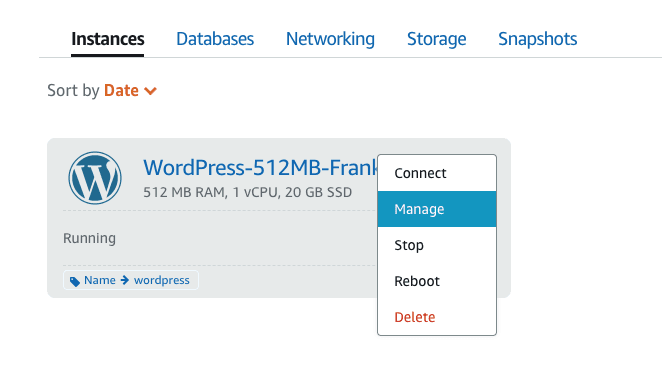
For example, you can configure an alarm that notifies you when your instance's CPU utilization crosses 80% for a specified length of time. To create this, select the desired instance from your instances menu in your Lightsail console:
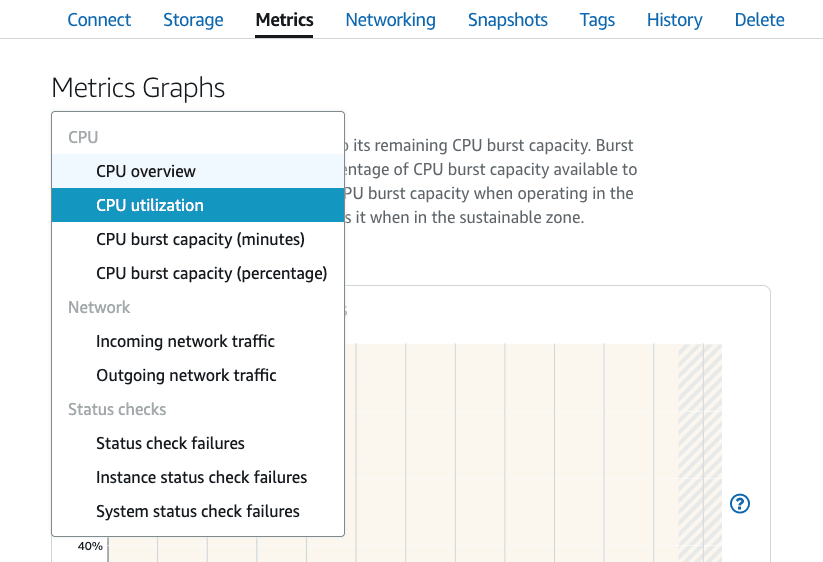
Go to Metrics and choose the relevant metric for your alarm. In our case its CPU Utilization:
Click on *Add Alarm* and fill out the desired configuration for your alarm. Press on *Create* and you're all set!
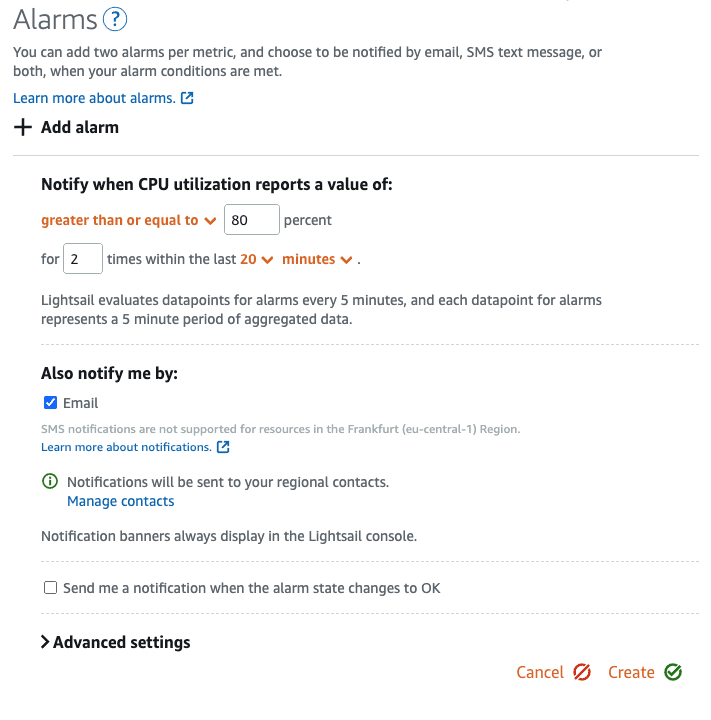
When an alarm is triggered, a notification banner is displayed in the Lightsail console. To be notified by email and SMS text message, you must add your email address and mobile phone number as notification contacts in each AWS Region where you want to monitor your resources. For more information, see Adding notification contacts in Amazon Lightsail.